
Find what you put away without opening a single spot.
Photograph an open spot. In a few seconds Klutta lists what it can see, you fix anything it got wrong, and from then on you find the thing by typing its name instead of guessing which spot it went into.
- Free to start
- Shared household included
- Works offline
- Export anytime
Klutta is a home-inventory app for Android. You photograph an open spot, the AI lists what is inside, and after that anyone in your household finds a thing by typing what it is rather than remembering where it went. Starting is free; an optional paid plan lifts the limits on spots, scans and photos.
Klutta catalogues what is inside every spot you pack — a moving box, a drawer, a shelf, a crate — and prints QR labels for the boxes you stack.
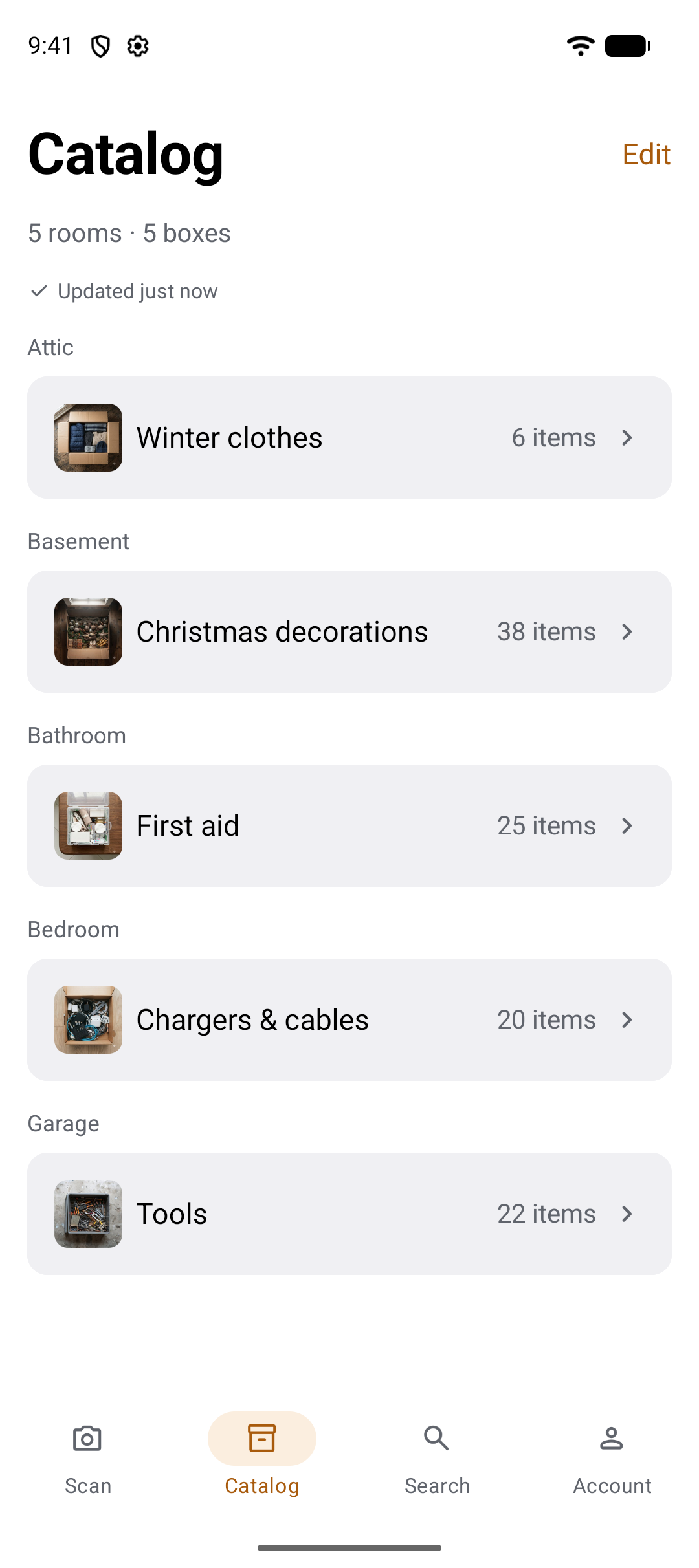
You put it away. Then you forgot where.
The spot was packed months ago, nobody wrote on the side of it, and it is one of eleven in the garage. You know the thing is in there somewhere. Klutta keeps a list of what went into each spot, so finding it is a search instead of an afternoon.
How it works, in three steps
Photograph an open spot, check the list Klutta wrote, and find the thing later by searching for it. The list is fully editable before you save: delete anything the AI got wrong, add by hand whatever it missed, and name the spot and the room as you go. No set-up screens first.
-
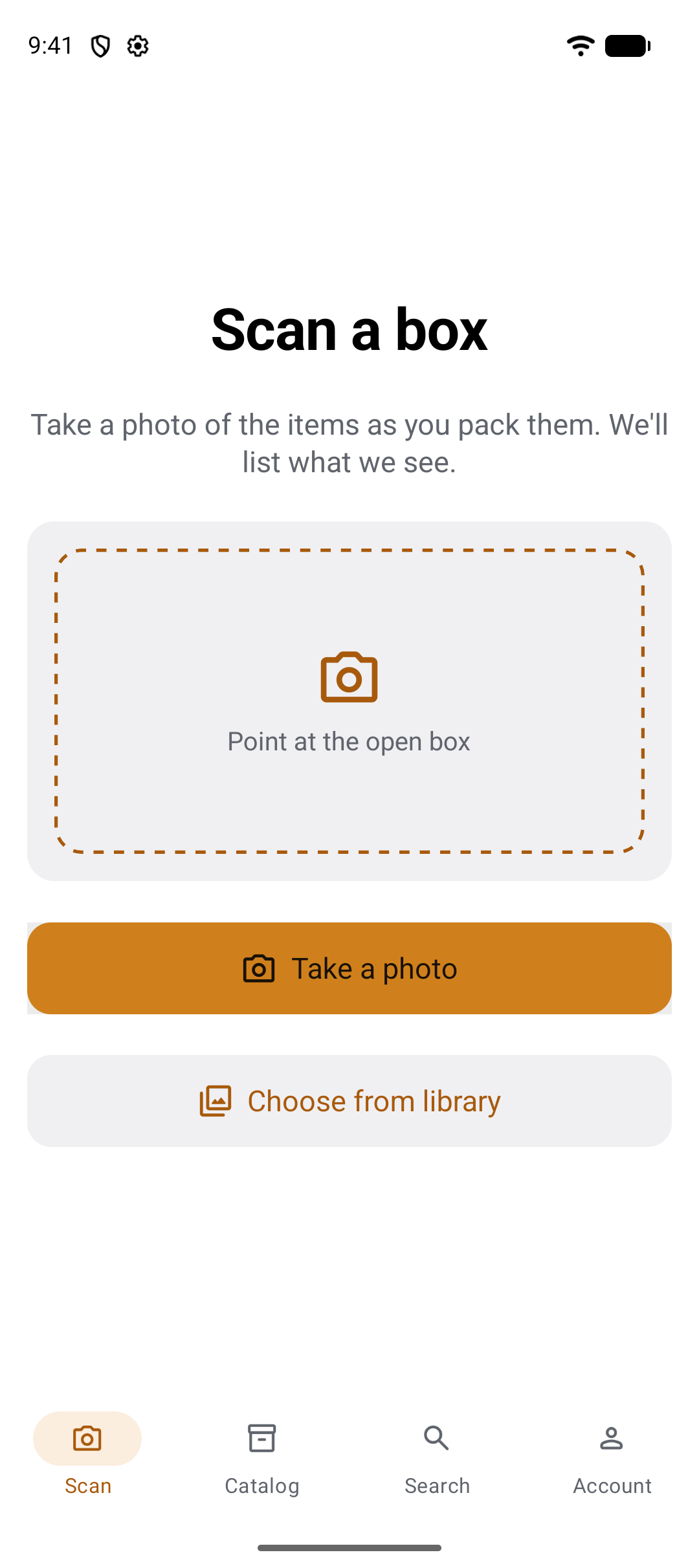
1. Photograph the open spot
Take the photo as you pack, or pick one you already have from the library. One frame of the open spot is all Klutta needs to start.
-
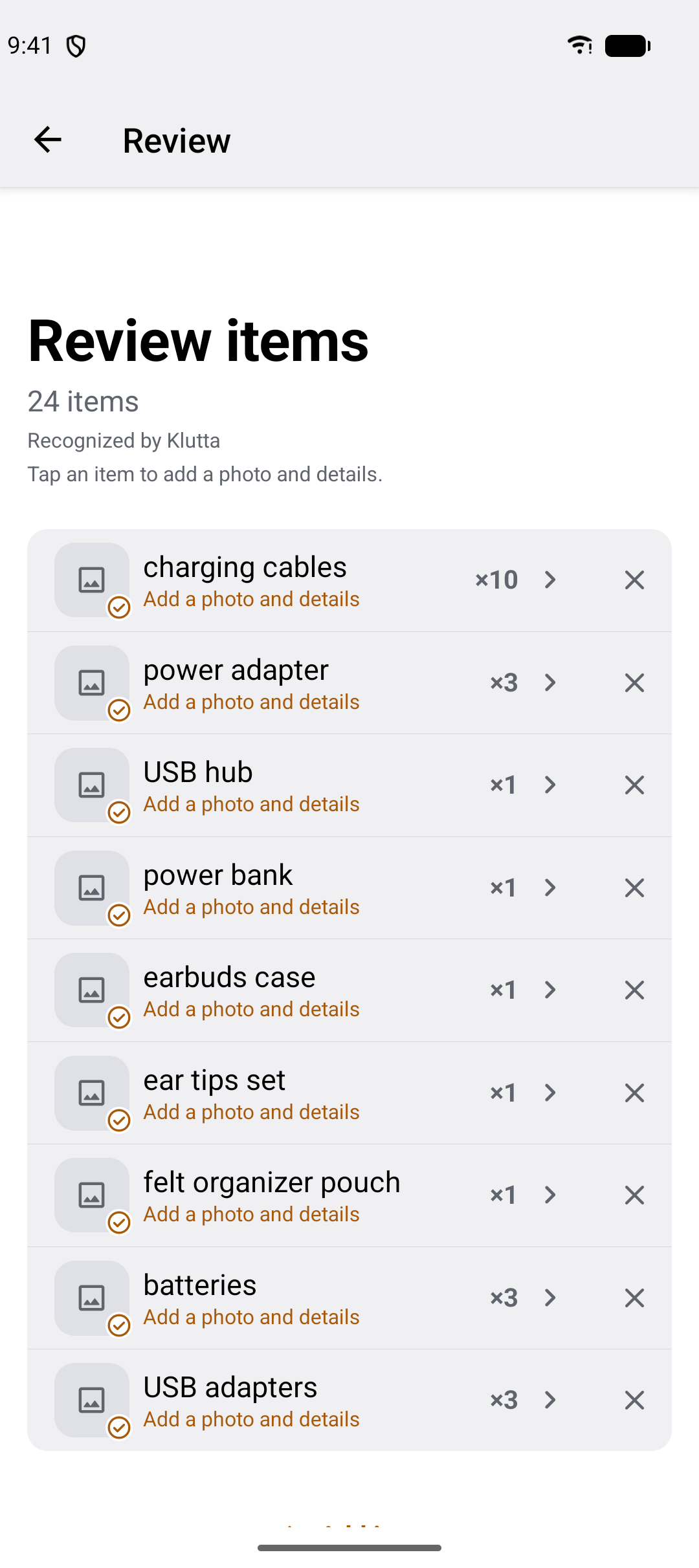
2. Check the list
Klutta lists what it recognises, with a quantity on each line. Rename an item, change a count, remove a mistake, add what it missed, then name the spot and the room.
-
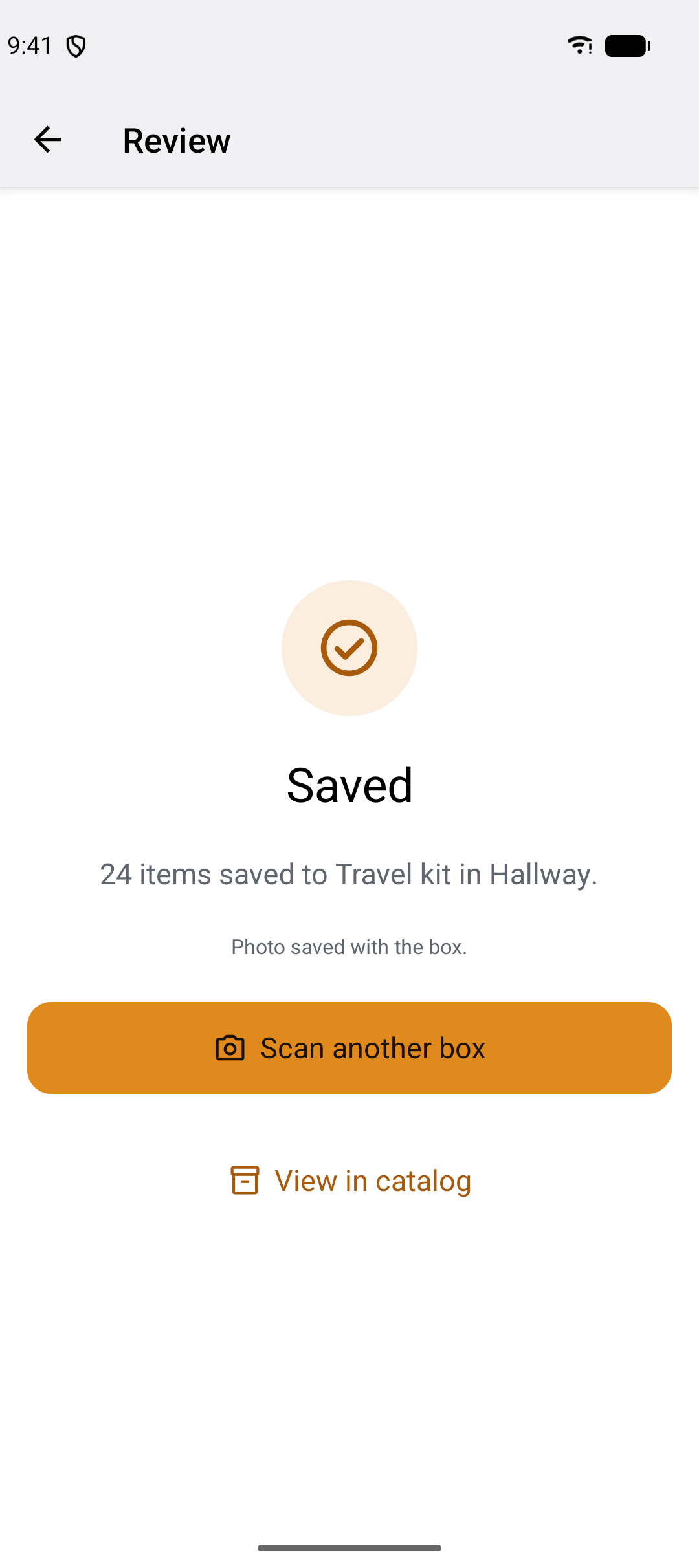
3. Save it to a spot in a room
The spot lands in the catalogue under its room, with the photo kept alongside it. Scan the next spot, or go and look at the one you just saved.
Search for the thing, not the spot
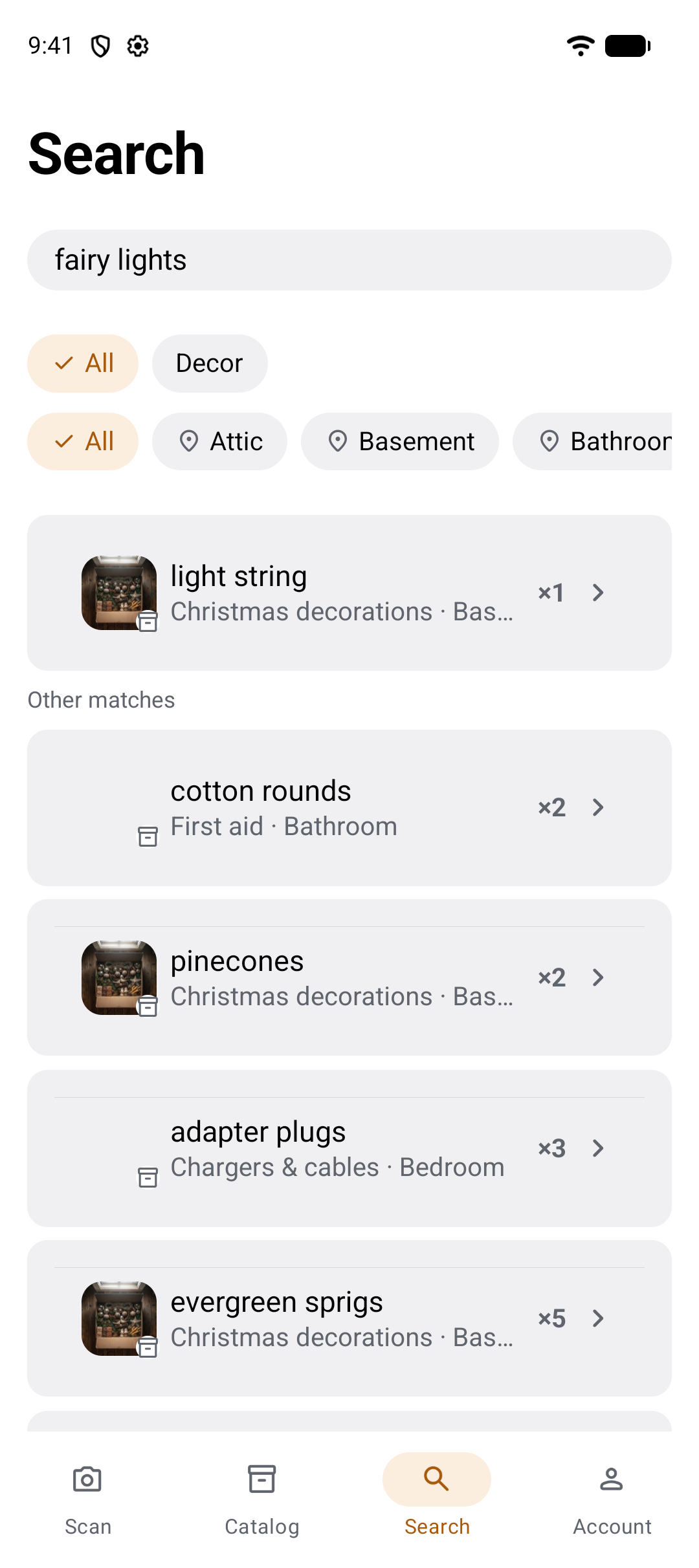
Type what the thing is and Klutta answers with the spot and the room it is in. Search fairy lights and the closest match comes first — a light string in Christmas decorations, in the basement — with everything else it found underneath. Matching works on a partial name or a description, so you do not have to remember what you called it, and it reaches the notes, categories and values you typed in.
- The closest match sits at the top, other matches follow, and every result names its spot and its room.
- Narrow a long list of results down to one category, or to one room, with the chips above it.
- Notes, your own categories, condition, value, use-by and warranty dates are all searchable.
- With no connection you can still browse the catalogue and search it by name.
Label a spot, then just scan it
Klutta prints a QR label for every spot. Stick it on the drawer front, the shelf edge or the carton, and later point a camera at it — the app's own scanner or your phone's — to open that spot and read what is inside. Search answers "where is my drill?". A label answers "what is in this spot?", which is the question you have standing in front of the stack.
-
Print
The print screen starts with every spot selected, so the whole household is two taps; pick a few spots, or one, if that is all you need. A4 or Letter, remembered for next time. One to twelve copies of each spot, printed next to each other, so cutting the sheet leaves you a strip per spot. It goes to the print dialog, or out through the share sheet.
-
Stick
Every label carries the spot name, the room, and the spot's own eight-character code. That code is minted once and never changes, so a label you printed months ago still opens the spot after you have renamed it.
-
Scan
The scanner sits beside search, because reading a label is a way of finding a spot — scanning a spot's items stays on the Scan tab and keeps its own name. There is a torch for a dark garage, and you can type the code by hand if the label is torn. Your phone's own camera works too: the label is an ordinary link.
Free, like export
Printing labels is a read, and reads are never capped by plan. Printing does need a connection.
Scanning works offline
For any spot already on the phone — which matters in a garage or a storage unit with no signal. If it is not there, the app says which it is: not downloaded yet, or no such spot.
A label gives nothing away
The QR holds a short opaque code and nothing about the contents. Someone who scans a label that is not theirs — a courier, a neighbour — lands on a plain install page that looks nothing up: it cannot even confirm the code is real. Resolving a code to a spot requires being signed in as a member of that household. That page exists in all nine languages.
A spot you can read from the outside
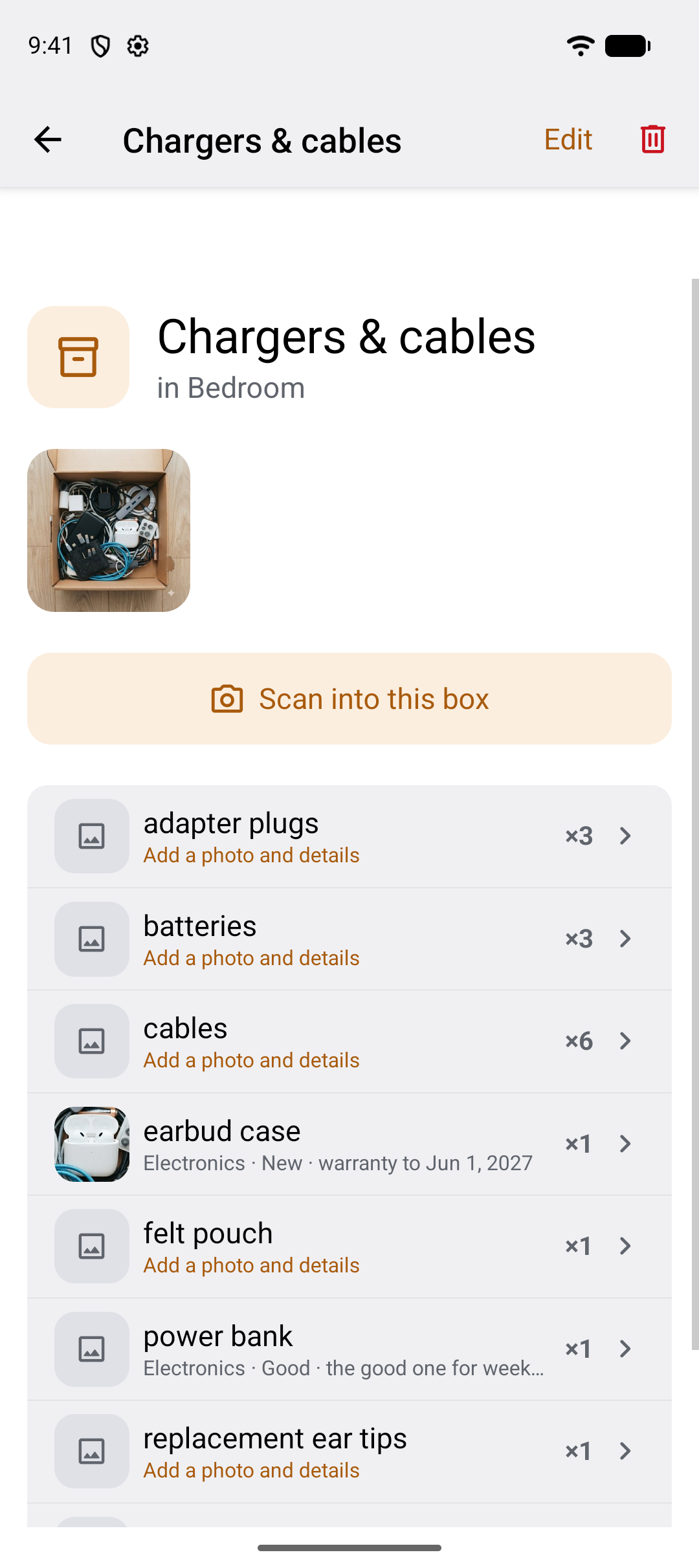
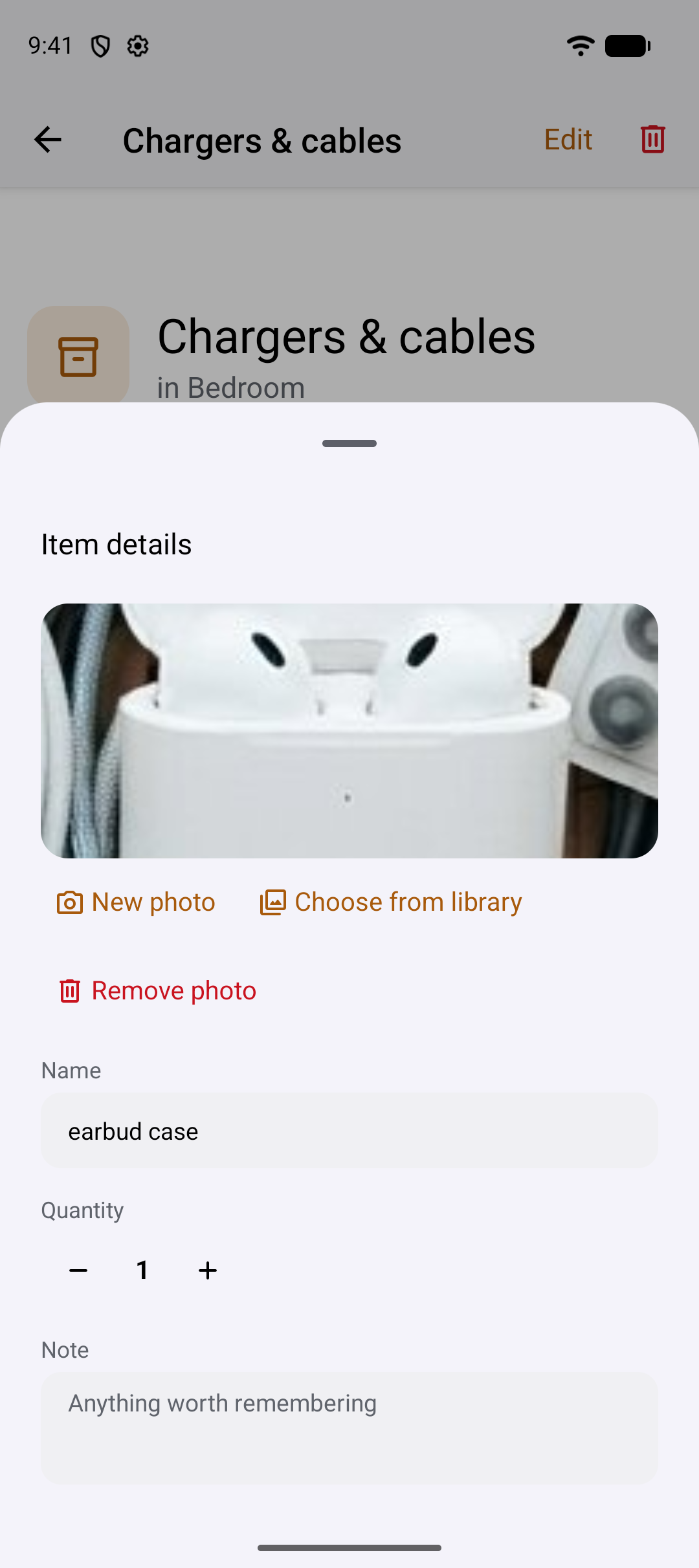
Open a spot in the catalogue and you get the photo you took of it and every item in it. Scan straight into the spot to add more. Any item can hold as much or as little as you want: a photo of its own, a quantity, a note, a category, its condition, its value, a warranty or use-by date. Lines you have not filled in say so, so you can see what is still just a name.
Everyone in the household, on the free plan
A shared household is included on the free plan. Invite someone with a link through your phone's normal share sheet, or with an eight-character code when links fail. Every member has equal read and write access to the same catalogue, and a spot saved on one phone appears on the others without a manual refresh.
-
Invite by link
Share sheet, any app you already use. They tap it and they are in.
-
Or an eight-character code
For when a link will not open. Read it out over the phone if you have to.
-
Real-time sync
One member saves a spot; it shows up on the other screens with no refresh.
The household lives on one screen
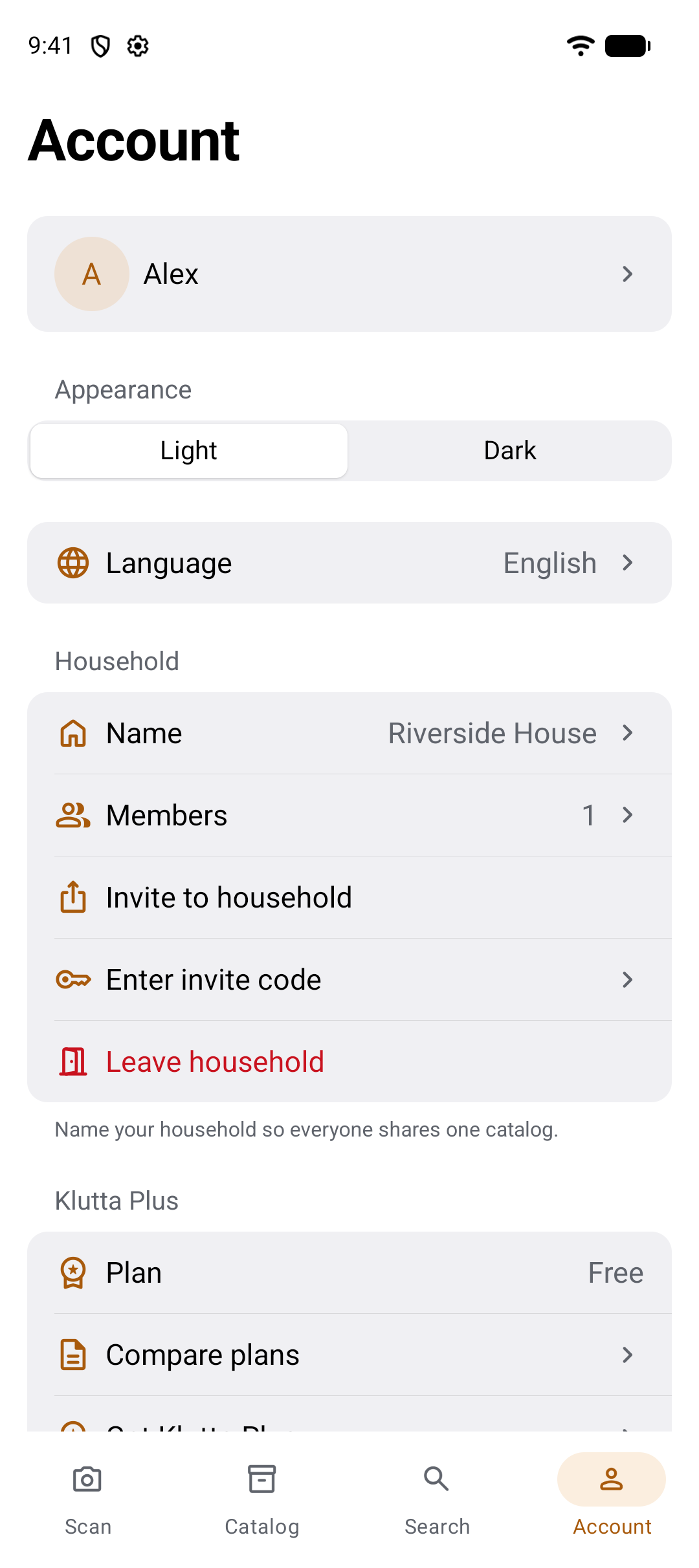
Name the household so everyone shares one catalogue, see who is in it, send an invite or type one in, and leave again if you need to. Light and dark, your language and your plan sit on the same screen.
Your data stays yours
Three controls, all free. Export the whole catalogue as CSV or PDF, in your language, through the share sheet. Delete anything — an item, a spot, a room, your membership of a household, or your entire account. Photo storage is a switch you own: it is on by default, and with it off nothing you photograph is retained.
Export, free
The whole catalogue as CSV or PDF, in your language, whenever you like. On the free plan too.
Delete anything
An item, a spot, a room, your membership of a household, or your whole account.
Photo storage is a switch
On by default. Turn it off and no photo of any kind is kept — a photo sent for recognition leaves no trace once the item list comes back, and only the names and details you typed are stored.
What it costs
The free plan holds 10 spots, 15 scans per 30 days, 4 photos per spot and 10 photographed items per household — with the shared household, real-time sync, export, unlimited label printing and offline reading all included. Klutta Plus lifts the limits. The Move Pass is a one-time purchase for a single move.
| Plan | What it gives you | Price |
|---|---|---|
| Free | 10 spots · 15 scans per 30 days · 4 photos per spot · 10 photographed items per household. Shared household, real-time sync, export, unlimited QR label printing and offline reading all included. | Free |
| Klutta Plus | Unlimited spots · 200 scans per 30 days · 10 photos per spot. Monthly or annual, with a 7-day free trial. | In Google Play |
| Move Pass | One-time purchase. 90 days, 300 scans in total — for a single move, with no subscription. | In Google Play |
| Scan pack | One-time. 100 extra scans. | In Google Play |
Prices are set per country in Google Play and shown in your local currency at checkout.
What happens to my catalogue if I stop paying?
It stays. Everything you saved remains readable, searchable and exportable. You simply cannot add past the free plan's limits again until you resubscribe.
Can I pay once instead of subscribing?
Yes. The Move Pass is a single purchase covering 90 days and 300 scans — built for one move, with no subscription attached. There is also a one-time scan pack.
The free plan is genuinely usable. A household with ten spots never has to pay.
How Klutta is different
Klutta recognises items from a photo, searches by description, and puts the shared household, real-time sync, offline reading and export on the free plan — things a home-inventory app commonly charges for or leaves out. It prints a QR label for every spot, free, and scanning one opens the spot. It does not scan shop barcodes or run on iPhone.
| Capability | Klutta | A typical home-inventory app |
|---|---|---|
| AI item recognition from one photo | check | close commonly typed in by hand |
| Search by description, not only the exact name | check | close usually exact-name matching |
| Shared household on the free plan | check | close often a paid tier |
| Real-time sync between members | check | close often a manual refresh |
| Browse and search offline | check | close commonly needs a connection |
| CSV and PDF export, free | check | close often paid, or absent |
| Photo and extra details on any item | check | check usually yes |
| Photo storage you can switch off | check | close rarely offered |
| Printable QR labels for your spots | check | check commonly included, often paid |
| Scan a label to open the spot | check | check where labels are offered |
| Barcode scanning of shop products | close | check commonly included |
| iPhone and iPad | close | check usually both platforms |
The right-hand column describes the category in general terms, not any one product.
Questions people ask before installing
Fifteen answers, shortest first. Everything here describes what the Android app does today.
What is Klutta?
Klutta is an Android app that turns one photo of an open storage spot into a searchable list of what is inside it. Everyone in the household sees the same catalogue, and anyone can find an item by typing what it is — not where they think they put it. Rooms hold spots, spots hold items.
How does the photo recognition work, and what happens when it misses something?
You photograph an open spot — or pick a photo from your library — and the AI lists the items it recognises, with a quantity on each line, in a few seconds. That list is fully editable before you save: rename an item, change a count, remove anything wrong, and add by hand whatever it missed. You can scan straight into a spot again later to add more.
Can I find something if I can't remember what I called it?
Yes. Search matches a name, a partial name or a description, so "fairy lights" returns the item you saved as "light string". It also searches the notes, categories, condition, value and dates you added. The closest match is shown first, other matches follow, and each result names the spot and the room it is in — and you can narrow a long list to one category or one room.
Does the whole household share one catalogue, and does that cost extra?
It is shared, and it is on the free plan. Invite members with a link through your phone's share sheet, or with an eight-character code when links do not work. Every member has equal read and write access to the same rooms, spots and items, and a save on one phone appears on the others without a refresh.
Can I print QR labels for my spots?
Yes, free and unlimited, on A4 or Letter. Print the whole household at once, a few spots, or one, with up to twelve copies of each. Every label shows the spot name, the room and the spot's permanent code, so a printed label keeps working after you rename the spot. Scan it with the app or your phone's camera to open the spot.
What happens if a stranger scans a label on my spot?
Nothing about your spot. The QR holds only a short opaque code, and an unknown scanner lands on a plain install page that performs no lookup at all — it cannot even confirm the code is real. Resolving a code to a spot needs you signed in and a member of that household.
Does Klutta work without an internet connection?
Reading does. The catalogue opens from the on-device cache in the first frame and can be browsed and searched by name with no connection, and being offline never signs you out. Writing needs a connection: scanning, saving, editing and deleting all have to wait until you are back online.
What happens to the photos I take?
Photo storage is a switch you own, on by default. Turn it off and no photo of any kind is retained: a photo sent for recognition leaves no trace once the item list comes back, and only the names and details you typed are kept. On the free plan a spot holds up to four photos.
How do I get my data out of Klutta?
Export the whole catalogue as CSV or PDF, in your language, through the normal share sheet. It is free on every plan, including the free one. You can also delete anything at any time: a single item, a spot, a room, your membership of a household, or your entire account.
What does Klutta cost?
The free plan covers 10 spots, 15 scans per 30 days, 4 photos per spot and 10 photographed items per household, with the shared household, sync, export, unlimited QR label printing and offline reading included. Klutta Plus lifts those limits monthly or annually, with a 7-day free trial. A one-time Move Pass covers 90 days and 300 scans. Prices are set per country in Google Play.
Is there an iPhone version of Klutta?
Not yet. Klutta is Android only and there is no web version either, so a household on iPhones cannot use it today. Everything else on this page describes what the Android app does now. Within a household, every Android phone reaches the same catalogue.
Which languages does Klutta speak?
Nine, inside the app: English, Polish, German, Spanish, French, Arabic, Japanese, Korean and Chinese. Exports come out in your language too. Pick your language on the phone and the whole interface follows, including the item details you have not translated yourself.
Do I need to set up rooms and spots before I start scanning?
No. You name the spot and the room inline while reviewing the scan, so there are no set-up screens to work through first. Photograph a spot, call it the cables spot in the hall closet, and the room is created as you save. Rename or reorganise whenever you like.
Can I move an item to another spot, or a spot to another room?
Yes. Open an item and set its Location to another spot in the household; its quantity, note, details and photo go with it. A spot moves from its edit screen to an existing room or a new one you name, and keeps its items, photos and code. A printed label keeps working, and Klutta offers to reprint it because the paper still names the old room. Moves go one at a time and need a connection.
How many spots can I have on the free plan?
Ten spots, with 15 scans per 30 days, 4 photos per spot, and 10 photographed items across the household. Printing QR labels is free and unlimited on every plan. If you stop paying for Klutta Plus, everything you already saved stays readable, searchable and exportable — you simply cannot add past the free limits until you resubscribe.
What isn't here yet
Klutta is Android only, and some things people reasonably expect are genuinely missing. If one of these is the reason you came, this is not the app for you yet.
- An iPhone or iPad app
- A web version
- Barcode scanning of shop products — different from the QR labels Klutta prints for your own spots
- Voice entry
- Editing while offline — reading and searching by name work, saving does not
- Choosing what goes on a label, or its size — one fixed cell, A4 or Letter
- Direct support for a thermal label printer — the share sheet passes the PDF to its app
- Printing labels offline, or re-issuing a spot's code
What people say
Klutta is new, and it has no reviews yet. When it has real ones, they will go here.
Photograph one spot tonight
Start with the spot you are least sure about. Ten spots are free, and the household you share it with is free too.
Get Klutta on Google PlayAndroid · free to start · no account needed to look around the free plan's limits